Posts

Showing posts with the label Joule/Moodle LMS

Moodle & Joule Wikis
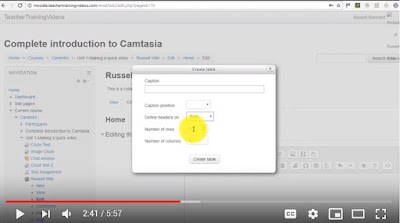
Image
Wikis are used to support a large number of different activities. Here's how to build one in the Moodle or Joule Learning Management System: https://youtu.be/wb1kB8fuQ9E?t=24 Here are some of the most common ways wikis are used. Brainstorming: When starting a specific project or a creative process, participants are invited to add items and thoughts on a wiki. They are also asked to link all these random thoughts and concept together in order to stimulate creativity. Group project: A wiki can act as a private intranet for a specific group project so all participants can communicate, share resources (including texts, videos, spreadsheets, links, etc.), and write a report or a book together.  Meeting support: An agenda for a specific meeting is posted on a wiki and participants are invited to consult and edit it prior to a meeting. The wiki is edited during the meeting to include was discussed. Participants can later use the wiki to post missing information or follo...


Instructional Design Workshops

Image
Fall workshops for faculty: H5P Interactivity & Accessibility: (1 Hour) Do your students make the most of the video resources you assign...How can you build a more engaging, interactive student learning experience…What tools help ensure ADA accessibility in online course materials. Get answers to these questions and more in this hands-on faculty development workshop. Tour H5P, experiment with different content, and learn how to incorporate interactive video, student self-assessments, learning games into Joule or Moodle. Dates / Times: Sep. 26, 11am - 12pm  Oct. 11, 11am - 12pm  Note: This is a hands-on session, you will be working in Joule. Bring your laptop. Joule Course Clean-up: (1 Hour) A well-designed and organized Joule course site makes things much easier for both instructor and student. Through good site design and clear instructions about how to make use of your course site, help students understand how to interact effectively with their instr...

Instructions to place Book Navigation Arrow

Image
Here's a nice button... Once the book is created, the first page will be an instruction page for students to navigate the book. The following is an example of this text: Welcome to Module 2. This Book houses the lecture, readings and assignments for this module, as well as an audio mindfulness exercise that you will experience then explore in the module Discussion board. To Navigate these Activities: Use the Blue "Next" and "Back" buttons, lower-right of this content area, to navigate the through this book OR use the table of contents to the upper-right of this content area In Joule, make sure that editing is turned on, click on the title of the book on your course homepage: Select the edit icon (pencil icon in the table of contents) Place your cursor at the beginning of the text in the editor (top-left) Choose Insert/Edit Image Icon Find or upload image > Navigate to the image on your computer and upload (this will be in your Recent fil...